
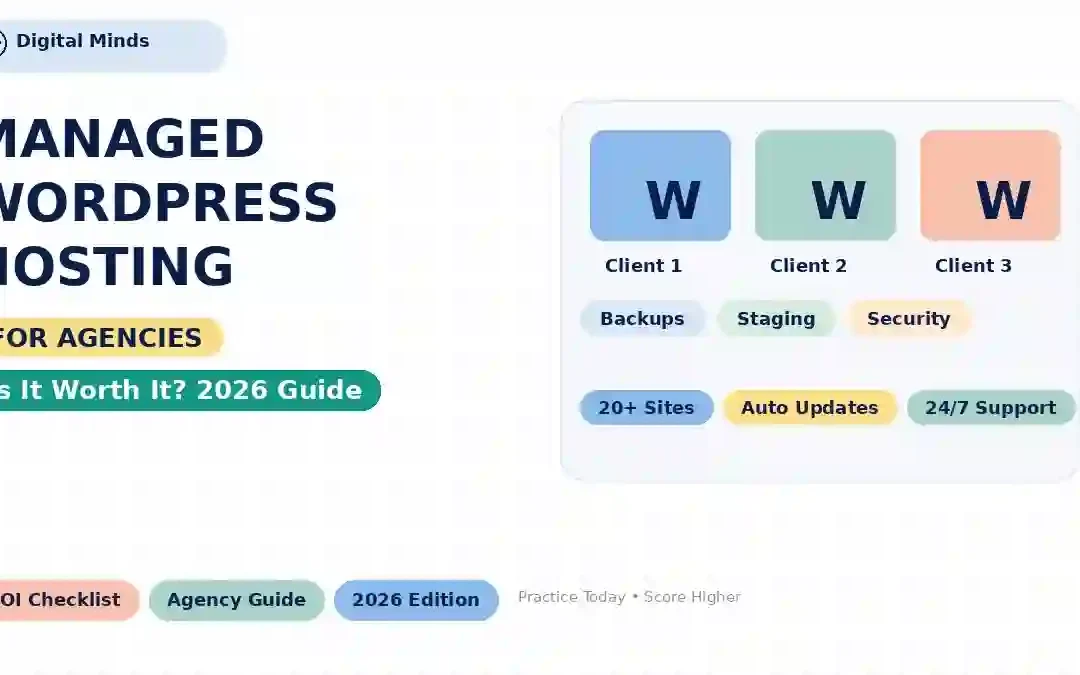
What Is Managed WordPress Hosting, and Is It Worth the Extra Cost for Agencies?
Managed WordPress hosting promises faster performance, automatic maintenance, stronger security and less server administration. But does the extra cost actually make sense when an agency manages multiple client websites?
For a freelancer managing one WordPress website, hosting can feel like a simple monthly expense. For an agency managing 10, 20, 50 or even hundreds of client websites, the calculation changes completely.
A hosting problem does not only mean a slow website. It can mean emergency support tickets, broken plugin updates, failed deployments, security incidents, backup problems and hours of developer time that were never included in the original project estimate.
That is where managed WordPress hosting becomes interesting. Instead of treating hosting as simply a server where WordPress is installed, managed hosting adds a layer of operational services around the website.
WordPress itself has relatively modest technical requirements. The official WordPress.org recommendations currently include PHP 8.3 or newer, MySQL 8.0 or MariaDB 10.11 or newer, and HTTPS support. WordPress.org's hosting requirements provide the current technical baseline.
What Is Managed WordPress Hosting?
Managed WordPress hosting is a hosting service where the provider takes responsibility for many of the technical tasks required to keep a WordPress website running.
Those services can include automated backups, WordPress updates, security monitoring, performance optimization, caching, staging environments, migration assistance and specialized WordPress support.
WordPress.com describes managed hosting as a model where the host handles technical tasks such as backups, security and caching, allowing site owners to focus more on their websites rather than infrastructure.
See the WordPress.com explanation of managed hosting .
Managed vs Unmanaged WordPress Hosting
| Task | Typical unmanaged hosting | Typical managed WordPress hosting |
|---|---|---|
| Server infrastructure | Mostly your responsibility | Provider-managed |
| WordPress updates | Often manual | May be automated or assisted |
| Backups | Often configured by customer | Usually included and automated |
| Caching | Customer configures it | Often integrated into platform |
| Security monitoring | Varies | Usually more integrated |
| Staging | May require plugins/tools | Often built into platform |
| WordPress-specific support | Varies considerably | Core part of the service |
| Server optimization | Customer/developer-led | Provider-managed to varying degrees |
| Developer access | Often broader | Can be more controlled |
The exact feature set differs from provider to provider. “Managed WordPress” is not a standardized technical specification, so agencies should always examine what is actually included before comparing prices.
What Are You Actually Paying For?
The biggest mistake agencies make is comparing managed hosting and cheap hosting only by CPU, RAM and storage.
Those specifications matter, but they are not the complete product.
Backups
Automated backups can reduce the operational risk of updates, deployments and unexpected failures.
Security
Managed platforms may provide firewalling, malware protection, DDoS mitigation, monitoring and security-focused infrastructure.
Performance
Caching, CDN integration, optimized server stacks and performance monitoring can reduce the amount of manual optimization required.
Staging
A staging environment lets your team test changes before deploying them to a client's live website.
Support
WordPress-focused technical support can save developers from spending time diagnosing infrastructure problems.
Time
For an agency, fewer repetitive maintenance tasks can translate directly into more billable development and strategy time.
Why Agencies Have Different Hosting Needs
An individual website owner may tolerate an hour of maintenance work. An agency managing dozens of websites cannot treat every hosting problem as a one-off technical adventure.
Consider a typical agency workflow:
- Build a new WordPress website.
- Configure themes and plugins.
- Create a staging environment.
- Send the client a preview.
- Deploy the approved version.
- Maintain WordPress core.
- Update plugins and themes.
- Monitor performance.
- Maintain backups.
- Respond to client support requests.
Multiply those tasks across 20 client websites and the value of operational automation becomes much easier to understand.
Hosting cost is only one expense. Developer time, maintenance time, downtime, client communication and incident recovery all have an economic cost.
Managed WordPress vs Shared vs VPS vs Cloud
There is no universally correct hosting model. The right choice depends on the number of websites, traffic, technical expertise, client expectations and how much server administration your agency wants to perform.
| Hosting type | Management | Typical control | Agency workload | Best fit |
|---|---|---|---|---|
| Shared | Low provider management | Low | Low initially | Small sites and basic projects |
| VPS | Often self-managed | High | High | Technical teams |
| Cloud | Depends on platform | Medium to high | Medium to high | Growing sites and custom workloads |
| Managed WordPress | High | Moderate | Lower | Agencies focused on WordPress delivery |
If you want deeper context on these hosting categories, our previous hosting comparison is a useful starting point:
Real-World Agency Cost Comparison
The most useful way to evaluate managed hosting is not simply: “How much does the hosting plan cost?”
Instead ask: “How much technical time does this hosting model require from my team?”
Consider a hypothetical agency with 20 client websites. The following model is an illustration, not a claim about any particular agency's actual costs.
| Cost factor | Basic hosting model | Managed WordPress model |
|---|---|---|
| Hosting bill | Lower | Higher |
| Manual updates | More likely | More automation |
| Backup management | More manual work | Often automated |
| Staging setup | May require extra tools | Often integrated |
| Server troubleshooting | More internal responsibility | More provider involvement |
| Developer time | Potentially higher | Potentially lower |
| Infrastructure control | Varies | Usually more restricted |
| Predictability | Depends on stack | Usually higher for supported workflows |
A simple ROI calculation
Suppose an agency pays an additional $150 per month for a managed hosting environment.
If that platform saves only 5 developer hours per month, the break-even developer value is:
If the agency's internal cost of developer time is higher than that, the hosting premium could make financial sense.
If the platform saves almost no meaningful time, the premium becomes harder to justify.
This is why the value of managed hosting is often more about operations than raw server specifications.
Does Managed WordPress Hosting Actually Make Websites Faster?
It can, but the answer is not as simple as “managed hosting = faster.”
Performance depends on the complete stack:
- Server CPU and RAM
- PHP workers
- Database performance
- Object caching
- Full-page caching
- CDN
- Server location
- Theme and plugin quality
- Image sizes
- JavaScript
- Third-party scripts
A managed WordPress provider may make optimization easier by integrating several of these layers into its platform.
For example, Kinsta's current documentation describes CDN delivery, edge caching, automatic backups, application performance monitoring and multiple data-centre locations as part of its WordPress hosting platform. See Kinsta's documented WordPress hosting features .
Security, Backups and Automatic Updates
Security is one of the strongest arguments for managed WordPress hosting, but agencies should understand exactly what the host covers.
A managed platform may provide:
- Automatic backups
- SSL/HTTPS support
- Firewall protection
- DDoS protection
- Malware detection
- Security monitoring
- WordPress update tools
- PHP version management
However, managed hosting does not eliminate the need for good agency security practices.
WordPress.org also recommends HTTPS and modern supported PHP/database versions as part of a current hosting environment.
Why Staging Is So Valuable for Agencies
Imagine a client has a revenue-generating website. A plugin update is released. Your developer installs it directly on production. The site breaks.
Now the client is calling.
A staging environment changes the workflow:
Step 1
Clone the production website into staging.
Step 2
Update plugins, themes and WordPress core.
Step 3
Test forms, menus, checkout and important pages.
Step 4
Resolve compatibility problems before production.
Step 5
Push approved changes to the live website.
Step 6
Monitor the production website after deployment.
For an agency, that workflow can be much more valuable than a small difference in monthly hosting price.
Why WordPress-Specific Support Matters to Agencies
Generic hosting support and WordPress-focused support are not necessarily the same thing.
When a WordPress site throws a PHP error, develops a database bottleneck or breaks after a plugin update, the agency needs someone who understands the application stack.
Some managed providers explicitly position their support around WordPress. For example, Kinsta documents support for platform features, server errors, migrations, PHP versions, backups and staging-related issues while also stating that custom development and badly coded plugins remain outside its standard support scope.
That distinction is important.
Is Managed WordPress Hosting Worth the Extra Cost?
For agencies, the answer should be based on workload rather than emotion.
Use these five questions:
- How many WordPress websites do we manage?
- How many hours do we spend on hosting-related maintenance each month?
- How expensive is developer downtime?
- How important are staging, backups and automated deployment?
- How much would one serious hosting incident cost the agency?
Scenario A: Small freelance operation
You manage three low-traffic brochure websites. Updates are simple. Traffic is predictable. You are comfortable handling backups and basic server configuration.
A premium managed platform may not provide enough additional operational value to justify the extra monthly expense.
Scenario B: Growing agency
You manage 20–40 WordPress websites. Clients expect fast support. Developers frequently update plugins and themes. Staging is becoming important.
Managed hosting becomes more compelling because the saved operational time can become significant.
Scenario C: High-value client portfolio
Your agency manages eCommerce stores, membership websites, lead-generation platforms or high-traffic publishing websites.
Here the cost of downtime can be much greater than the hosting bill. Backups, monitoring, security, staging, performance tooling and specialized support may therefore have substantial business value.
Managed WordPress Hosting Checklist for Agencies
Before signing up, ask the provider these questions.
| Question | Why it matters |
|---|---|
| How many websites can we host? | Critical for agencies managing multiple clients. |
| Is staging included? | Reduces production deployment risk. |
| How often are backups created? | Determines recovery capability. |
| How long are backups retained? | Important when an issue is discovered weeks later. |
| Can developers use SSH/SFTP? | Important for professional development workflows. |
| Is Git supported? | Useful for controlled deployments. |
| Can PHP versions be changed? | Important for compatibility and security. |
| Is CDN included? | Can reduce geographic latency. |
| Is object caching available? | Useful for dynamic WordPress workloads. |
| What does support actually cover? | Prevents unrealistic expectations. |
| Are there visitor or bandwidth limits? | Important for growing client websites. |
| Is white-label management available? | Useful when hosting is part of the agency service. |
Final Takeaway: Should Agencies Pay More for Managed WordPress Hosting?
Managed WordPress hosting is not simply “more expensive WordPress hosting.” It is an operational model designed to move some infrastructure and maintenance responsibility from the agency to the hosting provider.
For a single small website, that additional service layer may not be necessary. For an agency with many clients, however, the calculation can change quickly.
If managed hosting saves your developers from repetitive maintenance, makes staging easier, improves backup workflows and gives your team access to WordPress-focused infrastructure support, the premium can potentially pay for itself through saved time.
But agencies should compare features, support scope, resource limits, backup policies, staging, scalability and total operating cost rather than choosing a provider simply because it uses the word “managed.”
If your agency's saved technical time and reduced operational risk are worth more than the hosting premium, managed WordPress hosting can make financial sense. If your websites are simple and your team already handles infrastructure efficiently, traditional cloud or VPS hosting may remain the more economical choice.
Frequently Asked Questions About Managed WordPress Hosting
What is managed WordPress hosting?
Managed WordPress hosting is a hosting service where the provider handles part of the technical operation of WordPress, which can include backups, security, caching, updates, migrations, staging and WordPress-specific support.
Is managed WordPress hosting worth it for an agency?
It can be worthwhile when an agency manages multiple websites and the time saved on maintenance, backups, staging, security and troubleshooting is greater than the additional hosting cost.
Is managed WordPress hosting faster?
It can provide performance advantages through optimized server configurations, caching, CDN integration and managed infrastructure, but hosting alone does not guarantee a fast website. Theme, plugins, images, database queries and JavaScript also affect performance.
Does managed WordPress hosting include backups?
Many managed WordPress providers include automated backups, but backup frequency, retention period and restore options differ. Agencies should verify the exact policy before purchasing.
Can agencies use staging with managed WordPress hosting?
Many managed WordPress platforms provide staging environments. Staging allows an agency to test WordPress, plugin and theme changes before applying them to the production website.
Does managed hosting replace a WordPress developer?
No. Managed hosting primarily reduces infrastructure and hosting administration. Agencies still need developers for custom code, design, plugins, integrations, content and business logic.
What should agencies check before buying managed WordPress hosting?
Agencies should compare website limits, resources, staging, backups, backup retention, CDN, caching, PHP versions, developer access, support scope, scalability, migration policies and total monthly cost.
Managing Multiple WordPress Websites?
Before upgrading your hosting, compare the actual operational workload of shared, VPS, cloud and managed WordPress hosting.
Read our Shared vs VPS vs Cloud hosting guide
And if performance is your biggest concern, continue with our detailed:
Editorial note: Hosting features, prices and included services can change. Always verify the provider's current plan page before purchasing. Benchmark results should be compared only when the test methodology, location, website configuration, caching and measurement conditions are comparable.
Trackbacks/Pingbacks