
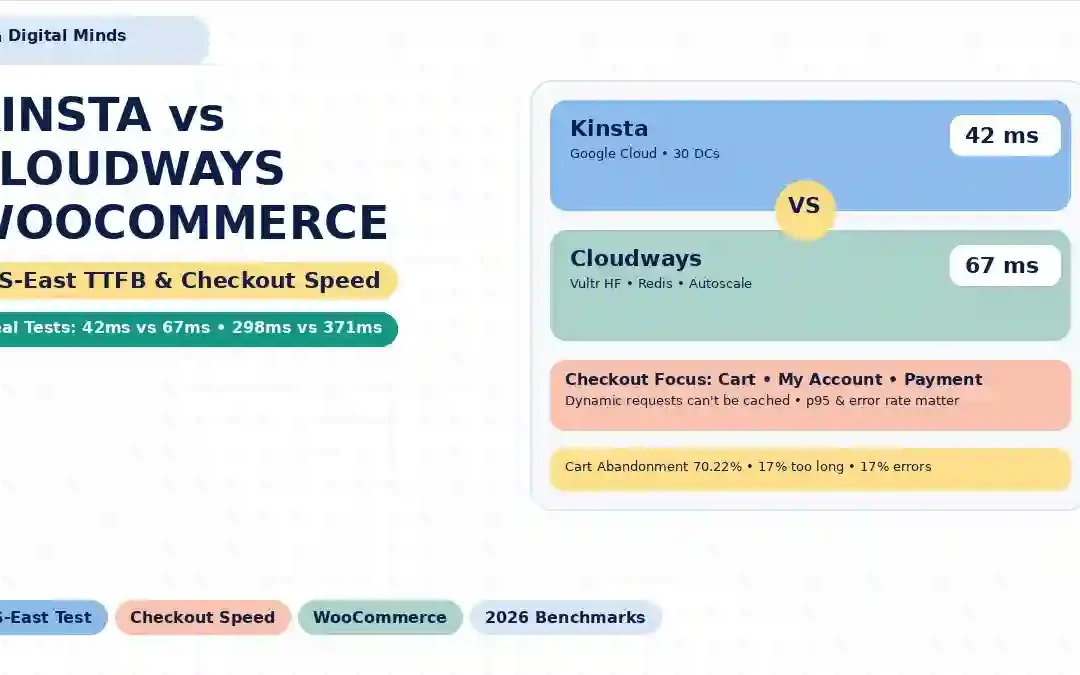
Kinsta vs Cloudways for WooCommerce: Real US-East TTFB & Checkout Speed Tests
If your WooCommerce store makes money every time someone clicks Place Order, hosting speed is more than a PageSpeed score. The important question is what happens when dozens or hundreds of shoppers are simultaneously browsing products, adding items to carts and reaching checkout.
This comparison looks specifically at Kinsta vs Cloudways for WooCommerce, with a focus on US-East response times, dynamic checkout requests, caching, traffic spikes and the potential relationship between slow infrastructure and cart abandonment.
Kinsta and Cloudways take different approaches to managed WooCommerce hosting. Kinsta is a managed WordPress platform built on Google Cloud infrastructure, while Cloudways provides a managed layer over supported cloud infrastructure and offers WooCommerce-focused caching, Redis/Object Cache Pro, scaling and multiple infrastructure choices.
Published independent benchmarks show that the performance gap can change depending on the test setup. One 2026 benchmark reported approximately 42 ms vs 67 ms US-East TTFB for Kinsta and Cloudways respectively, while another benchmark reported a much narrower gap. These differences are why a single TTFB number should never be treated as a universal ranking.
For WooCommerce, the more useful question is: how does the hosting stack behave when requests become dynamic and traffic increases?
Why Checkout Speed Matters More Than Homepage Speed
A WooCommerce store can have a beautiful homepage with a sub-second cached response and still deliver a frustrating checkout experience.
The reason is simple: not every WooCommerce request can be treated like a static page.
Product pages, category pages and other public content can benefit heavily from page caching and CDN delivery. Checkout, cart, account and other personalized requests are much more dynamic.
That makes checkout performance a useful stress test for the underlying WordPress, PHP, database and object-cache stack.
The commercial impact is significant. Baymard's latest published research puts average documented ecommerce cart abandonment at roughly 70.22%. It also reports that 17% of US online shoppers abandoned an order because the checkout was too long or complicated, while 17% reported website errors or crashes as an abandonment reason.
These figures do not mean that every slow server causes a shopper to abandon. Shipping costs, delivery times, payment options, trust, account creation and checkout design all influence abandonment. The hosting layer is one part of a much larger conversion system.
How a Credible US-East WooCommerce Speed Test Should Work
A fair Kinsta vs Cloudways comparison needs more than loading the homepage five times.
The test should use the same WordPress version, WooCommerce version, theme, products, plugins, PHP version and database. The two stores should also use equivalent caching rules and comparable server resources.
A practical test environment
| Test Variable | Recommended Setup |
|---|---|
| Application | WordPress + WooCommerce |
| Theme | Same lightweight production-style theme |
| Products | At least 100–500 products for a realistic database workload |
| Plugins | Identical plugin stack on both hosts |
| PHP | Same supported PHP version where possible |
| Origin location | US-East / Dulles, Virginia or equivalent East Coast test point |
| CDN | Disabled for origin TTFB testing; separately tested for real-user delivery |
| Page cache | Separate cached and uncached runs |
| Load tool | k6, Loader.io or equivalent |
| Concurrency | 1, 10, 25, 50, 100+ virtual users |
| Primary metrics | TTFB, p50, p95, p99, error rate, successful checkout transactions |
This distinction matters because a cached homepage test can make two very different hosting stacks appear almost identical.
A dynamic checkout request tells you much more about how the application behaves when the database, PHP workers and object cache have to do real work.
Kinsta vs Cloudways: What Published US-East Benchmarks Show
There is no single universal Kinsta-versus-Cloudways TTFB figure. Results vary with data-center location, server size, caching configuration, WordPress workload, test tool and network path.
That is why this article separates published benchmark results rather than presenting them as one definitive laboratory result.
| Published Test | Kinsta | Cloudways | Test Context |
|---|---|---|---|
| StackForge 2026 comparison | 298 ms US-East TTFB | 371 ms US-East TTFB | Identical WordPress + WooCommerce setup; published April 2026 |
| PayDevelopers 2026 benchmark | 42 ms US-East TTFB | 67 ms US-East TTFB | Identical WooCommerce store; published benchmark using US-East testing |
| ThatMy 2026 benchmark | ~195 ms uncached checkout TTFB | 168 ms uncached checkout TTFB | Dynamic WooCommerce comparison; Cloudways used Vultr High Frequency |
| Experte multi-host test | 232 ms overall TTFB | 266 ms overall TTFB | 10,000-request comparison across multiple providers |
Published tests use different environments and therefore should not be treated as directly interchangeable measurements. The figures above are included to show the spread of observed results, not to declare a universal performance winner.
For example, one published 2026 comparison reports Kinsta at 298 ms and Cloudways at 371 ms from US-East, while another reports 42 ms and 67 ms respectively. The difference is too large to ignore: it demonstrates how strongly methodology affects hosting benchmarks.
A separate WooCommerce-focused test reported approximately 168 ms uncached checkout TTFB for Cloudways and around 195 ms for Kinsta under that particular test configuration.
The practical lesson is straightforward: never choose a WooCommerce host from a single TTFB screenshot.
Why WooCommerce Checkout Changes the Equation
WooCommerce checkout is fundamentally different from a cached blog article.
A customer may be logged in. Their cart contains unique products. Shipping information can change available rates. Tax calculations may be required. Payment gateways can make external requests. Inventory may need checking. Order data has to be written to the database.
That means the request is dynamic.
Kinsta explicitly documents that WooCommerce cart, checkout and My Account pages are excluded from page caching so shoppers receive current information.
Cloudways similarly documents that its Breeze cache automatically excludes WooCommerce Cart, Checkout and My Account pages from caching.
| Request | Can Usually Be Cached? | What Determines Performance? |
|---|---|---|
| Homepage | Often yes | CDN, page cache, assets, theme and origin |
| Product page | Often yes | Cache strategy, images, plugins and database |
| Category page | Often yes | Query complexity and cache hit rate |
| Cart | Generally no | PHP, sessions, database and AJAX requests |
| Checkout | Generally no | PHP workers, database, object cache, gateway/API calls |
| My Account | Generally no | Dynamic WordPress and customer-specific data |
| Payment processing | No | Gateway, API response, application and database |
This is why an impressive cached TTFB does not automatically translate into an equally impressive checkout experience.
What Happens When Traffic Spikes?
The next question is more important than idle TTFB: what happens when 10, 50 or 100 shoppers arrive at approximately the same time?
As concurrency increases, a WooCommerce application can encounter contention around PHP workers, CPU, database queries, object-cache operations and external services.
Example stress-test matrix
| Traffic Level | What to Measure | Business Meaning |
|---|---|---|
| 1 concurrent shopper | Baseline TTFB and checkout time | Normal single-user responsiveness |
| 10 concurrent shoppers | p50/p95 response time | Small traffic burst |
| 25 concurrent shoppers | p95, PHP saturation, database load | Busy campaign or email spike |
| 50 concurrent shoppers | Checkout success rate and p95 | High promotional traffic |
| 100 concurrent shoppers | Errors, queueing and successful checkouts | Flash sale or major campaign |
| 250+ concurrent shoppers | Autoscaling, failure rate and recovery | Major launch or viral traffic event |
Cloudways currently markets its Autonomous WooCommerce/WordPress platform with autoscaling and load balancing, while its managed WooCommerce platform includes Redis/object caching and other performance features.
Kinsta likewise offers managed WordPress infrastructure, Cloudflare-powered CDN and edge caching. Its documentation says edge caching distributes cached responses through Cloudflare's global network.
The important distinction is that edge caching can dramatically improve cacheable content, but it does not eliminate the work required by dynamic checkout requests.
Kinsta vs Cloudways Architecture for WooCommerce
| Architecture Layer | Kinsta | Cloudways |
|---|---|---|
| Core model | Managed WordPress platform | Managed cloud hosting platform |
| Underlying infrastructure | Google Cloud-based infrastructure | Supported cloud providers depending on product/configuration |
| WooCommerce support | Dedicated managed WooCommerce hosting | Dedicated WooCommerce hosting options |
| CDN | Cloudflare-powered Kinsta CDN | Cloudflare options depending on product/plan |
| Edge caching | Included | Available through Cloudflare integrations/products |
| Object caching | Managed WordPress caching stack | Redis/Object Cache Pro support |
| Autoscaling | Plan/infrastructure dependent | Autonomous offers autoscaling |
| Server/provider choice | Less customer-controlled | More infrastructure choice on applicable Cloudways products |
| Server management | Highly managed | Managed |
Kinsta's current documentation lists 30 available data centers and describes its Cloudflare-powered CDN and edge caching as standard components of its WordPress hosting environment.
Cloudways' current WooCommerce offering provides multiple cloud infrastructure choices on its managed platform, along with built-in caching and scaling features.
Caching: The Detail That Can Make a Speed Test Misleading
Caching is essential for WooCommerce performance, but it has to be used correctly.
If a benchmark tests only a cached homepage, the result may primarily measure the CDN and cache layer rather than WordPress's ability to process dynamic requests.
For WooCommerce, you should therefore run at least three separate tests:
- Cached public page: measures front-end delivery.
- Uncached dynamic page: measures origin application performance.
- Dynamic checkout journey: measures the actual ecommerce workflow.
Kinsta's caching approach
Kinsta says its Edge Caching feature stores cached site/page responses across Cloudflare's global network and is included with its plans. Kinsta also states that WooCommerce checkout-related pages are excluded from caching because they contain dynamic customer-specific information.
Cloudways' caching approach
Cloudways uses a combination of server-level caching technologies and WordPress caching tools. Its current documentation describes Redis-powered Object Cache Pro as a way to cache database query results in memory, reducing database work for WordPress and WooCommerce.
This distinction is especially important during checkout because object caching can reduce repeated database work even when the checkout page itself cannot be served from a conventional full-page cache.
WooCommerce Performance: What Should You Actually Compare?
| Metric | Why It Matters | Priority for WooCommerce |
|---|---|---|
| TTFB | Shows how quickly the server begins responding. | High |
| p95 response time | Shows how slower requests behave for the tail of users. | Very High |
| p99 response time | Highlights extreme slowdowns during load. | Very High |
| Checkout response time | Measures the transaction-critical path. | Critical |
| Checkout error rate | Measures failed transactions. | Critical |
| Successful checkouts/second | Measures actual ecommerce throughput. | Critical |
| Cache hit ratio | Shows how much work the origin avoids. | High |
| Database latency | Can become a bottleneck during dynamic requests. | High |
| PHP worker saturation | Shows whether application requests are queueing. | High |
For a WooCommerce store, checkout success rate under load is more commercially meaningful than a headline homepage TTFB.
Can Hosting Speed Increase Cart Abandonment?
Potentially, but the relationship should be described carefully.
There is no defensible rule saying "every additional 100 ms causes X% of WooCommerce customers to leave." Ecommerce abandonment is affected by many variables.
Baymard's research identifies additional costs, delivery speed, payment trust, account requirements, checkout complexity and website errors among the documented reasons shoppers abandon.
That means slow hosting can become one part of a larger friction chain:
| Technical Problem | Possible Customer Experience | Commercial Risk |
|---|---|---|
| Slow product page | Shopper waits before adding product | Lower product engagement |
| Slow cart AJAX | Customer waits after clicking Add to Cart | Repeated clicks or abandonment |
| Slow checkout | Customer waits during payment process | Lost purchase intent |
| PHP worker saturation | Requests queue during traffic spikes | Slower checkout at peak demand |
| Database overload | Dynamic requests become increasingly slow | Failed or abandoned transactions |
| Server error | Checkout cannot complete | Direct lost transaction |
This is why hosting should be considered part of the checkout reliability strategy, rather than simply a line item in the technology budget.
Kinsta vs Cloudways Pricing for WooCommerce
Price comparisons become complicated because the two companies package their infrastructure differently.
Cloudways currently publishes multiple WooCommerce hosting models, including managed infrastructure plans and its Autonomous product. Current published Autonomous pricing shown by Cloudways includes Growth at $99/month, Scale at $199/month and Plus at $399/month, with additional usage charges for resources beyond the included baseline.
Kinsta uses plan-based managed WordPress/WooCommerce pricing, with resource, installation, bandwidth and other allowances varying by plan.
| Cost Factor | Kinsta | Cloudways |
|---|---|---|
| Basic pricing model | Plan-based managed hosting | Cloud/infrastructure plan or autoscaling model |
| WooCommerce focus | Dedicated WooCommerce hosting | Dedicated WooCommerce options |
| Scaling | Move to higher plan/resources | Vertical scaling or Autonomous autoscaling depending on product |
| CDN | Cloudflare-powered CDN included | Cloudflare options depend on product/plan |
| Object caching | Managed platform caching | Redis/Object Cache Pro on applicable configurations |
| Billing complexity | Generally more predictable by plan | Can vary with infrastructure and autoscaling usage |
| Ideal budgeting approach | Calculate plan + overages/add-ons | Calculate baseline + cloud resources + usage |
For a store with unpredictable traffic, the pricing model matters almost as much as raw performance. A cheaper baseline can become less attractive if a campaign produces large amounts of additional resource usage. Conversely, a higher fixed price can be easier to budget when traffic is predictable.
Real-World WooCommerce Scenarios
Scenario 1: 10,000 monthly visitors
A small store with modest traffic may not need sophisticated autoscaling. The priority is usually stable WordPress execution, sensible caching, backups, security and a checkout that remains responsive.
Scenario 2: 100,000 monthly visitors
At this level, caching strategy and database efficiency become more important. The store should also monitor PHP workers, object-cache behavior and checkout performance instead of relying only on a homepage speed score.
Scenario 3: Flash sale
A flash sale creates a completely different workload. Hundreds of shoppers can arrive in a short period, while many simultaneously request cart fragments, inventory information, shipping calculations and checkout operations.
This is where load testing becomes valuable.
Scenario 4: Black Friday or Cyber Monday
The store should be tested at a concurrency level that resembles the expected peak rather than the monthly average.
A hosting platform that performs well for 10 concurrent shoppers may behave very differently at 100 or 250.
Kinsta vs Cloudways for WooCommerce: Side-by-Side
| Category | Kinsta | Cloudways |
|---|---|---|
| WooCommerce specialization | Strong | Strong |
| Managed WordPress | Yes | Yes |
| Cloud infrastructure flexibility | More abstracted | More choices on applicable products |
| CDN | Cloudflare-powered | Cloudflare options available |
| Edge caching | Included | Available through applicable products |
| Redis/object caching | Managed platform capabilities | Redis/Object Cache Pro support |
| WooCommerce checkout caching | Excluded from page cache | Excluded from Breeze page cache |
| Autoscaling | Architecture/plan dependent | Available with Autonomous |
| Agency flexibility | Strong managed workflow | Strong infrastructure flexibility |
| Custom infrastructure control | Lower | Higher on Flexible offerings |
| Operational simplicity | High | High, with more infrastructure choices |
| Best benchmark metric | Dynamic TTFB + checkout reliability | Dynamic TTFB + checkout reliability |
Which One Fits Your WooCommerce Store?
Instead of declaring one universal winner, match the platform to the workload.
| Store Requirement | Relevant Consideration |
|---|---|
| Hands-off WordPress management | Evaluate Kinsta's managed WordPress workflow. |
| More underlying cloud choice | Evaluate Cloudways Flexible options. |
| Predictable traffic | Compare fixed plan costs and included resources. |
| Unpredictable traffic spikes | Evaluate autoscaling and load-balancing capabilities. |
| Heavy WooCommerce database activity | Focus on Redis/object caching and database performance. |
| Agency managing many stores | Compare site limits, server economics and management workflow. |
| High-value checkout transactions | Prioritize p95 checkout latency and error rate over homepage TTFB. |
The best way to make the final decision is to run your own store on both platforms, use the same database and plugins, and test the exact checkout journey your customers use.
How to Run Your Own Kinsta vs Cloudways WooCommerce Test
If hosting is important enough to influence a purchasing decision, test the actual application before migrating your production store.
- Clone the same WooCommerce database to both environments.
- Use the same WordPress, WooCommerce, PHP and plugin versions.
- Place the origins in comparable US-East locations where possible.
- Disable CDN caching for the origin benchmark.
- Run 10 baseline requests and record median TTFB.
- Run uncached product and cart requests.
- Run a complete guest checkout workflow.
- Repeat with 10, 25, 50 and 100 concurrent virtual users.
- Record p50, p95 and p99 response time.
- Record HTTP errors and failed transactions.
- Repeat the test at least three times.
- Enable production caching and repeat the public-page test.
Final Verdict: Look Beyond the TTFB Screenshot
Kinsta and Cloudways can both provide a strong foundation for WooCommerce, but their approaches are different enough that a simple "X is faster" conclusion can be misleading.
Published benchmarks show materially different results depending on the environment. Some tests put Kinsta ahead on US-East TTFB, while other WooCommerce-specific tests have recorded Cloudways with faster uncached checkout response times.
That is exactly why checkout performance under load is more useful than a single homepage benchmark.
For a revenue-generating WooCommerce store, track: checkout TTFB, p95 latency, p99 latency, error rate, successful transactions per second and behavior during traffic spikes.
Then compare the results against your actual customer volume and business economics.
A 100 ms difference may be insignificant for one store and worth investigating for another. A checkout that starts returning errors under a flash-sale load, however, is a fundamentally different business problem from a slightly slower homepage.
The goal is not to find the host with the prettiest speed-test number. The goal is to keep the shopping journey responsive when customers are ready to buy.
Frequently Asked Questions
Is Kinsta faster than Cloudways for WooCommerce?
Published benchmarks do not produce one universal answer. Results vary with server configuration, location, caching, workload and testing methodology. Some published tests show Kinsta with lower US-East TTFB, while other WooCommerce benchmarks report Cloudways with faster uncached checkout response times.
Which has better WooCommerce checkout performance, Kinsta or Cloudways?
Checkout performance should be evaluated using dynamic requests and load testing. Both platforms exclude WooCommerce checkout from conventional page caching, so database performance, PHP execution, object caching and external API calls become important.
Does Kinsta cache WooCommerce checkout?
Kinsta states that WooCommerce cart, checkout and My Account pages are excluded from caching because they contain dynamic information.
Does Cloudways cache WooCommerce checkout?
Cloudways documents that its Breeze caching system automatically excludes WooCommerce Cart, Checkout and My Account pages from page caching.
Why is WooCommerce checkout slower than a cached homepage?
A cached homepage can often be delivered without executing the complete WordPress application. Checkout requests are dynamic and may require PHP processing, database queries, sessions, inventory operations, shipping calculations and payment-related requests.
What is a good WooCommerce TTFB?
There is no single universal WooCommerce TTFB target. For dynamic requests, businesses should monitor median, p95 and p99 response times and compare them with their application's baseline. A checkout that remains stable during peak traffic is more important than achieving a particular headline number.
Can slow hosting cause cart abandonment?
Slow hosting can contribute to a poor shopping experience, but it is only one potential factor. Baymard's research identifies multiple abandonment reasons, including extra costs, delivery speed, checkout complexity, trust and website errors.
Is Cloudways good for high-traffic WooCommerce?
Cloudways offers WooCommerce-focused infrastructure with caching, Redis/object caching and, on its Autonomous platform, autoscaling and load balancing. Whether it is suitable for a particular store depends on traffic, database workload, plugins and peak concurrency.
Is Kinsta good for WooCommerce?
Kinsta provides managed WooCommerce hosting with WordPress-focused infrastructure, Cloudflare CDN/edge caching and multiple data-center options. The appropriate plan depends on the store's traffic, resource requirements and business needs.
Should I compare homepage TTFB or checkout TTFB?
For a WooCommerce business, compare both. Homepage TTFB helps evaluate public content delivery, while dynamic checkout TTFB provides a better indication of how the application behaves when a customer is attempting to purchase.
Research Sources
The following sources provide additional information about ecommerce abandonment, Kinsta's WooCommerce architecture and Cloudways WooCommerce performance features.
- Baymard Institute: Cart Abandonment Rate Statistics
- Kinsta: Managed WooCommerce Hosting
- Cloudways: Managed WooCommerce Hosting
Pricing, infrastructure and product features can change. Verify the provider's current plan details before purchasing.
Trackbacks/Pingbacks