
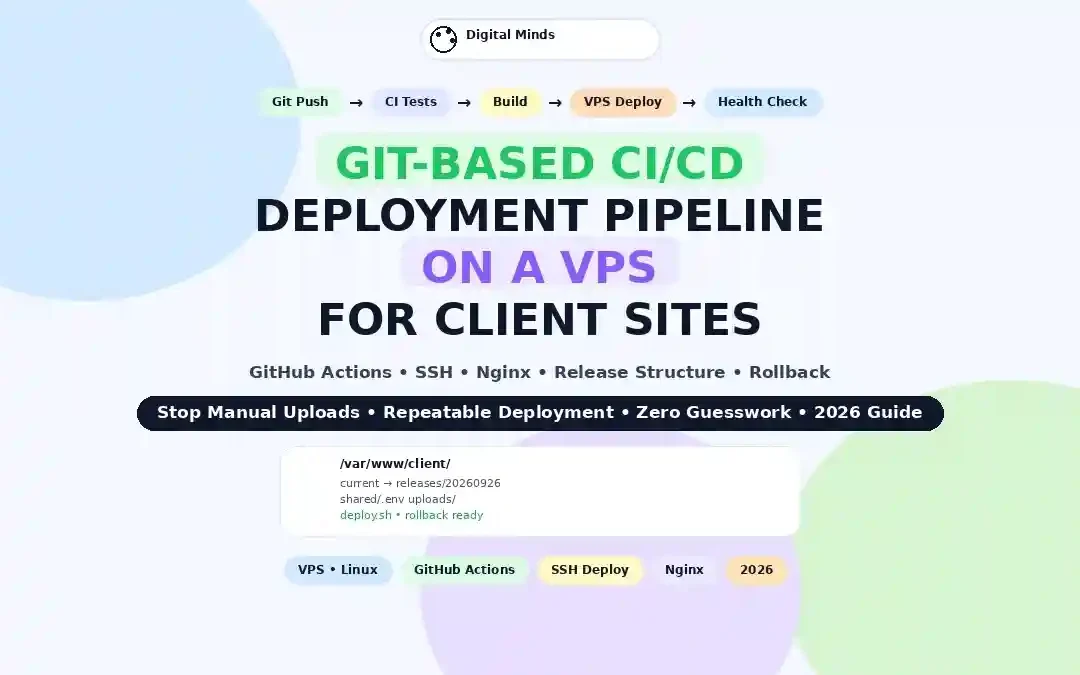
Setting Up a Git-Based CI/CD Deployment Pipeline on a VPS for Client Sites
Stop uploading files manually, logging into servers for every release, and wondering which version is actually live. A Git-based CI/CD pipeline can turn a VPS into a predictable deployment system where every approved code change follows the same build, test, deploy, and verification process.
This guide shows how agencies and freelance developers can build that workflow for client websites using GitHub Actions, SSH, a Linux VPS, Nginx, and a simple release structure that makes rollbacks much easier.
The goal is not simply faster deployment. The goal is repeatable deployment.
Why CI/CD Matters When You Manage Multiple Client Sites
The first few client websites rarely feel difficult to deploy. You SSH into the VPS, pull the latest code, clear a cache, restart a service, and move on.
Then the agency grows.
Five websites become fifteen. Fifteen become thirty. Different clients have different release schedules. One project uses PHP, another uses Node.js, another has a build process, and another depends on Docker. Suddenly, deployment is no longer a technical afterthought. It becomes an operational risk.
That is where Git-based CI/CD becomes valuable.
Consistency
Every deployment follows the same defined process instead of relying on someone's memory.
Traceability
You can identify which commit was deployed and connect a production change to a specific Git revision.
Rollback
A release-based structure lets you return to a known working version without manually reconstructing the previous deployment.
For agencies, the biggest benefit is often not saving a few minutes on one deployment. It is reducing the number of small decisions humans have to make during every deployment.
If you are still deciding between shared, VPS, and cloud infrastructure, start with this guide to shared vs VPS vs cloud hosting for small businesses.
The Recommended Git-Based CI/CD Architecture
A reliable deployment pipeline should have clear responsibilities. Git stores the desired application state. CI validates that state. The VPS runs the approved release. Monitoring confirms that the release actually works.
1. Git repository
Contains application code, configuration templates, deployment scripts, and workflow definitions.
2. CI system
Runs tests, linting, builds, and other automated checks before production deployment.
3. VPS
Hosts the production application and receives approved releases through a controlled deployment account.
| Layer | Primary responsibility | Example |
|---|---|---|
| Source control | Version history and collaboration | GitHub or GitLab |
| CI | Test and build the application | GitHub Actions or GitLab CI/CD |
| Transport | Move approved release to server | SSH |
| Runtime | Serve the application | Nginx + PHP-FPM / Node / Docker |
| Verification | Confirm the site responds correctly | HTTP health check |
GitHub Actions supports deployment environments that can restrict branches, require approvals, and control access to environment secrets. This makes it possible to keep a production deployment different from a normal test workflow.
GitLab follows a similar model with environments such as staging and production, while also tracking deployments and allowing protected environment variables.
You can review GitLab's environment model in its official CI/CD environments documentation.
What You Need Before Starting
This tutorial assumes a Linux VPS, a Git repository, and an application that can be deployed from source control.
For an agency, I strongly recommend keeping production and staging separate even if both run on the same VPS initially. The environments should have different paths, databases, environment variables, and deployment controls.
Step 1: Prepare the VPS for Automated Deployment
Start with a normal Linux server rather than trying to make the deployment pipeline responsible for server administration.
A good VPS baseline includes a current operating system, firewall rules, SSH hardening, a non-root administrative user, automated security updates where appropriate, backups, monitoring, and a web server configured separately from the application release process.
On Ubuntu Server, security updates can be handled through the unattended-upgrades system. Review your reboot and package policies carefully before enabling automatic changes on a production server.
If the VPS is located in a US-East, US-West, London, or Frankfurt region, the same deployment architecture can be used. The important issue is consistency between your client requirements, application users, database location, and operational policies.
Suggested directory layout
/var/www/client-example/
├── current -> releases/20260926001
├── releases/
│   ├── 20260926001/
│   ├── 20260926002/
│   └── 20260926003/
├── shared/
│   ├── .env
│   ├── uploads/
│   └── storage/
└── deploy/
    └── deploy.sh
The important idea is the current symlink. Nginx points to the current release rather than to a directory that is overwritten file by file.
That small architectural decision makes rollbacks considerably cleaner.
For VPS planning, it is also useful to understand the differences between managed and unmanaged cloud infrastructure. Our guide to managed cloud hosting for US small businesses provides useful context.
Step 2: Structure the Git Repository for Deployment
A CI/CD pipeline becomes much easier to maintain when the repository clearly separates application code from production-only configuration.
A typical project might look like this:
client-site/
├── .github/
│   └── workflows/
│       └── deploy.yml
├── app/
├── public/
├── tests/
├── scripts/
│   ├── build.sh
│   └── deploy.sh
├── composer.json
├── package.json
├── package-lock.json
├── .gitignore
└── README.md
Never place production passwords, API tokens, database credentials, private SSH keys, or client secrets directly inside the repository.
GitHub Actions provides repository and environment secrets for sensitive values. Environment secrets can also be protected by required reviewers, depending on how the production environment is configured.
Read the GitHub Actions secrets documentation before designing your credential model.
Step 3: Create a Dedicated Deployment User
The deployment process should have its own Linux identity.
For example:
sudo adduser deploy
sudo usermod -aG www-data deploy
The exact permissions depend on your application. Do not blindly copy the example above into a sensitive production system. Your goal is to give the deployment user enough access to publish the application, but not unnecessary access to unrelated client data or operating-system administration.
Generate an SSH key for deployment
On your administrative machine, create a dedicated key:
ssh-keygen -t ed25519 -C "client-site-deployment"
Add the public key to the deployment user's authorized_keys file on the VPS. The private key should remain outside the repository and should be stored as a protected CI secret.
Step 4: Build the GitHub Actions CI/CD Workflow
GitHub Actions workflow files live inside .github/workflows. A good deployment pipeline should not jump directly from a developer's laptop to production.
A safer flow is:
Example GitHub Actions workflow
The following example is intentionally conservative. It tests the application before deployment, limits repository token permissions, uses a production environment, prevents overlapping production deployments, and performs the server deployment over SSH.
name: Deploy Client Site

on:
  push:
    branches:
      - main
  workflow_dispatch:

permissions:
  contents: read

concurrency:
  group: production-deployment
  cancel-in-progress: false

jobs:

  test:
    name: Test application
    runs-on: ubuntu-latest

    steps:
      - name: Checkout repository
        uses: actions/checkout@v5

      - name: Install dependencies
        run: |
          if [ -f composer.json ]; then
            composer install --no-interaction --prefer-dist
          fi

          if [ -f package-lock.json ]; then
            npm ci
          fi

      - name: Run tests
        run: |
          if [ -f package.json ]; then
            npm test --if-present
          fi

  deploy:
    name: Deploy to production
    needs: test
    runs-on: ubuntu-latest
    environment: production

    steps:
      - name: Checkout repository
        uses: actions/checkout@v5

      - name: Configure SSH
        env:
          DEPLOY_KEY: ${{ secrets.DEPLOY_KEY }}
          VPS_HOST: ${{ secrets.VPS_HOST }}
        run: |
          mkdir -p ~/.ssh
          chmod 700 ~/.ssh

          printf '%s\n' "$DEPLOY_KEY" > ~/.ssh/deploy_key
          chmod 600 ~/.ssh/deploy_key

          ssh-keyscan -H "$VPS_HOST" >> ~/.ssh/known_hosts

      - name: Create deployment archive
        run: |
          tar \
            --exclude=".git" \
            --exclude=".github" \
            --exclude="node_modules" \
            -czf release.tar.gz .

      - name: Upload release
        env:
          VPS_HOST: ${{ secrets.VPS_HOST }}
          VPS_USER: ${{ secrets.VPS_USER }}
        run: |
          scp \
            -i ~/.ssh/deploy_key \
            release.tar.gz \
            "$VPS_USER@$VPS_HOST:/tmp/client-site-release.tar.gz"

      - name: Deploy release
        env:
          VPS_HOST: ${{ secrets.VPS_HOST }}
          VPS_USER: ${{ secrets.VPS_USER }}
        run: |
          ssh \
            -i ~/.ssh/deploy_key \
            "$VPS_USER@$VPS_HOST" \
            "/var/www/client-example/deploy/deploy.sh"

      - name: Verify website
        env:
          SITE_URL: ${{ secrets.SITE_URL }}
        run: |
          curl \
            --fail \
            --silent \
            --show-error \
            --location \
            --max-time 20 \
            "$SITE_URL"
The exact action versions, language setup, dependency installation, and test commands should be adjusted to your application. The important pattern is the separation between testing, deployment, and verification.
GitHub's current workflow syntax supports explicitly limiting the permissions granted to the workflow token. Using the smallest permission set needed is a useful baseline for reducing unnecessary workflow access.
Why concurrency matters
Imagine two developers merge changes within thirty seconds of each other.
Without deployment coordination, both releases could attempt to modify the same production target simultaneously.
A concurrency group can ensure that only one production deployment runs at a time. GitHub Actions supports concurrency controls specifically for this kind of workflow coordination.
Step 5: Create the VPS Deployment Script
The CI workflow should not contain every server-side deployment decision. Put the VPS-specific operations into a versioned deployment script.
Example:
#!/usr/bin/env bash

set -Eeuo pipefail

APP_ROOT="/var/www/client-example"
RELEASES="$APP_ROOT/releases"
CURRENT="$APP_ROOT/current"

TIMESTAMP="$(date +%Y%m%d%H%M%S)"
NEW_RELEASE="$RELEASES/$TIMESTAMP"

mkdir -p "$NEW_RELEASE"

tar \
  -xzf /tmp/client-site-release.tar.gz \
  -C "$NEW_RELEASE"

rm -f /tmp/client-site-release.tar.gz

# Install or build production dependencies here.
# Examples:
# cd "$NEW_RELEASE"
# composer install --no-dev --optimize-autoloader
# npm ci
# npm run build

ln -sfn "$NEW_RELEASE" "$CURRENT"

# Reload application services only when required.
# sudo systemctl reload php8.3-fpm

# Keep the latest five releases.
cd "$RELEASES"

ls -1dt */ 2>/dev/null \
  | tail -n +6 \
  | xargs -r rm -rf

echo "Deployment completed: $TIMESTAMP"
Make the script executable:
chmod 750 /var/www/client-example/deploy/deploy.sh
The release directory gives every deployment its own filesystem state. The current symlink is then switched to the new release.
Point Nginx at the Current Release
Your web server should serve the stable current path rather than an individual release directory.
server {
    listen 80;
    server_name client-example.com www.client-example.com;

    root /var/www/client-example/current/public;
    index index.php index.html;

    location / {
        try_files $uri $uri/ /index.php?$query_string;
    }

    location ~ \.php$ {
        include snippets/fastcgi-php.conf;
        fastcgi_pass unix:/run/php/php8.3-fpm.sock;
    }
}
If you are deploying a Node.js application instead, Nginx can act as a reverse proxy in front of the application process. The exact configuration depends on the runtime and process manager.
Nginx documents reverse proxying through the proxy_pass directive, which forwards requests from the web server to the upstream application.
Step 6: Build Rollback Into the Pipeline Before You Need It
A deployment system is incomplete if it only knows how to move forward.
A client may report that a release broke a form, payment flow, login process, CSS asset, API connection, or checkout page. Your first objective should be restoring service safely. Investigation can come afterward.
Simple rollback
cd /var/www/client-example/releases

ls -1dt */

ln -sfn \
  /var/www/client-example/releases/20260926001 \
  /var/www/client-example/current
In a mature agency workflow, you can automate rollback further by storing the active release ID, running health checks after deployment, and triggering a rollback when a critical check fails.
Fast rollback
Keep several known-good releases available on the VPS.
Database safety
Treat database migrations separately because application files can be rolled back more easily than destructive schema changes.
Client communication
Maintain a deployment log so the team can identify what changed and when.
How to Adapt CI/CD for WordPress Client Sites
WordPress requires a slightly different deployment strategy because the website contains both code and user-generated content.
Theme files, custom plugins, configuration templates, and application code can fit naturally into Git. The uploads directory and production database generally should not be treated as ordinary Git-controlled source files.
| WordPress component | Typical approach | Why |
|---|---|---|
| Custom theme | Git | Version-controlled source code |
| Custom plugin | Git | Repeatable releases |
| Uploads | Persistent shared storage | Contains client-generated media |
| Database | Backup + migration process | Changes continuously in production |
| wp-config.php | Environment-specific configuration | Contains sensitive values |
| Cache | Explicit invalidation | Prevents old assets/pages remaining active |
This is particularly important for WooCommerce. Orders, customers, sessions, inventory, and payment-related activity can change while a deployment is taking place.
If performance is part of your deployment strategy, our WooCommerce hosting and TTFB comparison provides useful context around production performance testing.
Likewise, if the client site handles regulated information, review your deployment, access, backup, and hosting architecture against the applicable compliance requirements rather than treating CI/CD alone as a compliance control.
For example, our guide to HIPAA-compliant web hosting explains why infrastructure, contracts, access controls, and operational procedures matter together.
Manual Deployment vs Git-Based CI/CD
The difference becomes clearer when you look at a normal agency workflow rather than a theoretical software-development diagram.
| Deployment activity | Manual VPS process | Git-based CI/CD | Operational effect |
|---|---|---|---|
| Code selection | Developer decides what to upload | Git commit defines release | Clear version history |
| Testing | Often manual | Automated checks | Problems can be caught earlier |
| File transfer | FTP/SFTP/SSH | Automated deployment job | Less repetitive work |
| Server commands | Typed manually | Versioned script | More consistent releases |
| Rollback | Restore backup or manually reverse files | Switch to previous release | Faster recovery path |
| Deployment history | May exist in chat or memory | Stored in Git and CI system | Better accountability |
| Production approval | Human discretion | Environment protection rules | More controlled release process |
A Real-World Agency Workload Model
Consider a small web agency managing 20 client websites. Assume the team deploys each site twice per month and a manual deployment takes approximately 15 minutes of hands-on work.
That produces:
If automation reduces hands-on deployment work to roughly four minutes per release because the developer mainly reviews the result and handles exceptions, the same workload becomes about 2 hours and 40 minutes of hands-on deployment activity.
| Agency size | Sites | Deployments/site/month | Total releases/month | Manual time at 15 min |
|---|---|---|---|---|
| Small | 10 | 2 | 20 | 5 hours |
| Growing | 20 | 2 | 40 | 10 hours |
| Established | 50 | 2 | 100 | 25 hours |
| High-change portfolio | 50 | 4 | 200 | 50 hours |
The larger point is that automation becomes increasingly valuable as deployment frequency and client count rise.
You can also compare this operational approach with broader cloud hosting models in our Cloudways vs Hostinger cloud performance analysis.
GitHub Actions vs GitLab CI/CD for VPS Deployment
Both platforms can handle the core workflow. The best choice usually depends on where your repositories already live and how your team prefers to manage environments.
| Capability | GitHub Actions | GitLab CI/CD |
|---|---|---|
| Pipeline definition | YAML workflow files | .gitlab-ci.yml |
| Production environments | Supported | Supported |
| Environment secrets | Supported | Supported through CI/CD variables and scopes |
| Deployment history | Available through deployment/environment features | Strong environment and deployment tracking |
| Manual approval | Environment protection rules | Manual deployment jobs and protected environments |
| Self-hosted execution | Self-hosted runners | GitLab runners |
| Best starting point | Teams already using GitHub | Teams already using GitLab |
There is no need to move repositories simply to implement CI/CD. If the agency already works in GitHub, GitHub Actions is a natural starting point. If the development team already uses GitLab, GitLab CI/CD provides the equivalent deployment concepts.
CI/CD Security: The Part Agencies Should Not Rush
Automation increases capability. That also means a compromised workflow can potentially become a deployment pathway into production.
Treat your CI pipeline as production infrastructure.
| Security control | Recommended approach |
|---|---|
| SSH key | Dedicated deployment key with limited scope |
| Linux account | Dedicated deploy user rather than root |
| GitHub token | Minimum required permissions |
| Production secrets | Protected environment secrets |
| Repository | Private for sensitive client applications |
| Workflow dependencies | Pin and review third-party actions carefully |
| Production deploy | Require review for sensitive projects |
| Logs | Never print passwords, private keys, or tokens |
| Backups | Maintain independent recovery copies |
GitHub recommends least-privilege permissions for workflow tokens and provides protected environment secrets. Environment protection can require approval before a deployment job receives access to production secrets.
If your VPS hosts several unrelated clients, consider stronger isolation as the portfolio grows. A single server compromise should not automatically expose every client application.
Step 7: Add Post-Deployment Health Checks
A deployment can complete successfully while the website is still broken.
The SSH command might exit with status zero. The files might exist. Nginx might still be running. Yet the application could return HTTP 500, fail to connect to the database, load broken assets, or expose an error page.
That is why every production pipeline should include at least one application-level health check.
curl \
  --fail \
  --silent \
  --show-error \
  --location \
  --max-time 20 \
  https://client-example.com/health
For a more advanced application, create a dedicated health endpoint that verifies the components required for the application to serve normal traffic.
HTTP status
Confirm the site returns an expected HTTP response.
Application health
Check that the application process and dependencies respond correctly.
Critical path
For ecommerce sites, test important pages such as product and checkout flows without exposing customer data.
Do Not Forget Cache Invalidation
A successful deployment does not necessarily mean visitors immediately receive the new version.
WordPress sites can have several caching layers:
| Layer | Example | Deployment consideration |
|---|---|---|
| Browser | User browser cache | Use versioned assets |
| WordPress plugin | Page/object cache | Clear or warm appropriately |
| Server | FastCGI/object cache | Review after application changes |
| CDN | Edge cache | Invalidate only what changed where possible |
| PHP opcode cache | OPcache | Reload PHP-FPM when required by the deployment |
Cache invalidation should be a deliberate pipeline step, not a random command someone remembers after the deployment.
For agencies working with high-traffic sites, also review Cloudflare Enterprise vs Fastly edge caching and DDoS considerations when designing the broader delivery architecture.
10 Common CI/CD Mistakes on VPS Hosting
- Deploying directly as root. A deployment account should not automatically have unrestricted server access.
- Keeping secrets in Git. Use protected CI/CD secrets instead.
- Skipping tests because the site is small. Small sites can still have production-breaking changes.
- Overwriting the live directory. Release directories and a current symlink provide a cleaner rollback path.
- Ignoring database migrations. Application files and database state need separate deployment planning.
- Running deployments concurrently. Two simultaneous production releases can create race conditions.
- Trusting a successful SSH command. Always verify the application after deployment.
- Deploying every branch to production. Production should have an explicit release rule.
- Installing too many third-party actions. Every external action becomes part of your software supply chain.
- Having no rollback plan. If rollback requires an emergency server investigation, the deployment architecture is not finished.
Production-Ready VPS CI/CD Checklist
Before allowing automatic production deployment for a client, walk through this checklist.
How to Scale the Pipeline Beyond One VPS
The architecture above works well for a small agency portfolio, but eventually you may outgrow a single VPS.
The important thing is that Git-based deployment does not have to disappear when infrastructure becomes more complex.
| Stage | Infrastructure model | Deployment approach |
|---|---|---|
| Starter | One VPS | SSH + release directories |
| Growing agency | Multiple VPS servers | Environment-specific deployment targets |
| Containerized | Docker hosts | Build image + deploy container |
| High availability | Multiple application nodes | Rolling or controlled deployment |
| Large platform | Container orchestration | Deployment controller / orchestration platform |
Docker Compose can also be used for production deployments on a single server. Docker's current production guidance recommends using production-specific Compose configuration where necessary and recreating the affected services after rebuilding them.
The key principle remains the same: build a predictable artifact, deploy it to a known environment, verify it, and maintain a recovery path.
How Agencies Should Organize CI/CD Across Client Projects
Once you manage multiple clients, the technical pipeline is only half the problem. You also need a consistent operating model.
Standardize the template
Start new projects from a known deployment template rather than writing a completely new workflow every time.
Separate environments
Use predictable staging and production conventions across client projects.
Document exceptions
If one client's architecture requires a special deployment process, document the reason instead of silently modifying the standard.
This approach becomes particularly valuable when a developer leaves the agency. The deployment system should remain understandable without depending on one person's memory.
For agencies that also offer hosting or white-label services, our guide to white-label reseller hosting platforms can help put the infrastructure side of the business into context.
Frequently Asked Questions About Git-Based CI/CD on a VPS
What is CI/CD in simple terms?
CI/CD is an automated process for checking, building, and deploying software. In a VPS workflow, Git stores the source code, CI runs automated checks, and the deployment stage publishes an approved version to the server.
Can I use GitHub Actions with a normal VPS?
Yes. A VPS does not need to be hosted by GitHub. A GitHub Actions workflow can connect to your VPS through a controlled deployment mechanism such as SSH.
Should I run a GitHub Actions self-hosted runner directly on the production VPS?
It can be done, but it increases the security and operational responsibility of the production machine. A separate runner or controlled SSH deployment model may provide stronger separation, depending on your architecture.
Should deployment happen automatically after every Git push?
Not necessarily. Automatic deployment can work well for low-risk staging environments. Production deployments for important client sites may benefit from protected branches, approvals, scheduled release windows, or other safeguards.
How do I roll back a failed VPS deployment?
If releases are stored in separate directories and the live website points to a current symlink, rollback can usually be performed by switching the symlink to the previous known-good release, subject to database and application compatibility.
Can this CI/CD method be used for WordPress?
Yes. Git works particularly well for custom themes, custom plugins, configuration templates, and other code. WordPress uploads and production databases require separate handling because they change independently of application source code.
Is GitLab CI/CD suitable for VPS deployment?
Yes. GitLab supports CI/CD pipelines, environments, deployment tracking, protected variables, and manual deployment controls. The same general architecture can be implemented with GitLab instead of GitHub.
Do I need Docker to use CI/CD on a VPS?
No. Docker is optional. A VPS can deploy traditional PHP, Node.js, Python, or other applications directly. Docker becomes useful when you want more consistent runtime environments and container-based release management.
What is the biggest benefit of CI/CD for a web agency?
The biggest operational benefit is repeatability. Instead of relying on manual server commands, the agency can define the deployment process once and use the same controlled workflow repeatedly.
Final Takeaway
A VPS does not have to mean manual deployment.
With Git, a CI service, controlled SSH access, release directories, automated tests, health checks, and a tested rollback procedure, a relatively simple VPS can support a professional deployment workflow for client websites.
The real advantage is not that someone can press a button instead of opening an SSH session. The advantage is that the deployment process becomes a documented system rather than a collection of habits.
For an agency, that distinction matters.
When a portfolio grows from five sites to fifty, consistency becomes more valuable than cleverness. The best CI/CD architecture is therefore the one your team can understand, secure, monitor, troubleshoot, and repeat across every client project.
Ready to Turn Your VPS Into a Deployment System?
Start with one client site, automate the complete build-test-deploy-verify cycle, document the rollback procedure, and then turn that workflow into your agency's reusable deployment template.
Explore More Web Hosting & Infrastructure Guides