
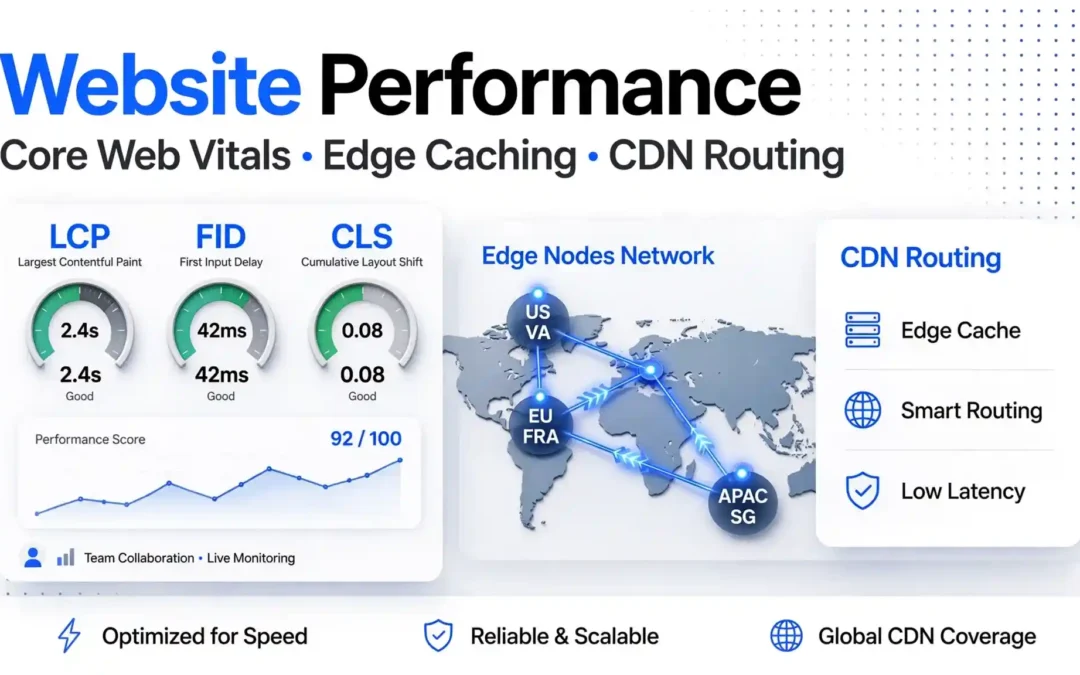
Website Engineering · Performance Guide
Website Performance Optimization: Core Web Vitals Audit, Edge Caching and CDN Routing
A website can look polished and still feel slow. Visitors may wait for the main heading to appear, struggle to use a menu on mobile or lose their place when content shifts during loading. These problems can affect engagement, conversions and the overall user experience.
This practical guide explains how to audit Core Web Vitals, identify performance bottlenecks, configure edge caching and choose a CDN strategy. It also covers routing for US and UK audiences, common caching mistakes and a repeatable workflow for Node.js applications and content-driven websites.
Updated: October 14, 2026 · Reading time: approximately 14 minutes
Quick answer: what should you optimise first?
- Measure before changing anything. Run a mobile audit and check real-user data where available.
- Fix the largest bottleneck. Investigate slow server responses, large hero images, render-blocking resources and heavy JavaScript.
- Cache public content safely. Start with versioned static assets, then consider HTML and API response caching.
- Route users sensibly. Put the origin near the main audience and use a CDN for distributed delivery.
- Test again. Compare the same page, device profile and test conditions after each change.
A CDN can improve delivery, but it will not automatically fix a slow database query, an oversized JavaScript bundle or an image that blocks the main content from appearing.
Core Web Vitals targets at a glance
Core Web Vitals focus on loading performance, responsiveness and visual stability. Google evaluates these metrics using the 75th percentile of page visits, segmented by mobile and desktop.
| Metric | Good target | What it measures | First areas to investigate |
|---|---|---|---|
| LCP | 2.5 seconds or less | How quickly the largest visible content element renders | TTFB, hero images, font loading, render-blocking CSS |
| INP | 200 milliseconds or less | How quickly the page responds to user interactions | Long JavaScript tasks, expensive event handlers, third-party scripts |
| CLS | 0.1 or less | Unexpected layout movement during a visit | Images without dimensions, late banners, injected embeds and fonts |
| TTFB | A useful diagnostic goal is around 0.8 seconds or less | How quickly the browser receives the first response byte | Origin latency, uncached HTML, slow server logic and network distance |
TTFB is an important diagnostic metric, not one of the three current Core Web Vitals. These figures are targets, not measurements of DigitalMindsWeb or a specific hosting provider.
Which tools should you use for a website performance audit?
Lighthouse
Use a lab audit to identify likely causes of slow loading, JavaScript work, accessibility problems and other technical issues.
Best for: debugging a specific page before and after a change.
PageSpeed Insights
Compare lab diagnostics with real-user field data when sufficient data is available for the URL or site.
Best for: understanding user experience alongside laboratory findings.
Search Console
Review groups of URLs with similar Core Web Vitals performance and monitor whether issues affect multiple templates.
Best for: prioritising fixes across an entire site.
Start with one important mobile URL, such as your homepage, a popular article or a service page. Save the report before making changes. Otherwise, you may improve one metric while accidentally worsening another.
Step-by-step Core Web Vitals audit walkthrough
Step 1: Establish a baseline
Select representative pages rather than testing only the homepage. Include a content article, a landing page, a page with a large image, and any important form or checkout flow.
Record the following for each test:
- URL and page template.
- Mobile or desktop test profile.
- LCP, INP where field data exists, CLS and TTFB.
- Largest content element and its loading behaviour.
- Unused or expensive JavaScript, large images and render-blocking resources.
- Cache status, server region and any relevant deployment changes.
Step 2: Find the LCP element
LCP often corresponds to a hero image, a large heading or another prominent block in the initial viewport. Open the performance report and identify which element is being measured.
If it is an image, check its dimensions, file format, compression, responsive variants and request priority. If it is text, investigate server response time, stylesheet delivery and font loading.
Do not lazy-load the main above-the-fold LCP image. Lazy loading is generally more appropriate for images that begin outside the visible viewport. Avoid preloading every image; prioritise only assets that are genuinely critical.
Step 3: Investigate TTFB and origin delays
A slow first byte can result from a distant origin, uncached HTML, a slow database, expensive server-side rendering, a cold application process or a third-party API call.
Compare a cache hit with an origin request. If cached requests are fast but misses are slow, focus on origin performance and cache coverage. If both are slow, inspect the network path, CDN behaviour and response delivery.
Step 4: Diagnose INP and JavaScript work
A page may render quickly and still feel unresponsive when its main thread is busy. Large client-side frameworks, chat widgets, analytics tags, complex menus and long event handlers can delay feedback after a tap or click.
- Remove scripts that do not provide measurable value.
- Defer non-critical scripts where safe.
- Split large application bundles and load components when needed.
- Reduce expensive work inside click, input and scroll handlers.
- Use passive event listeners for suitable scroll and touch handlers.
- Measure the cost of each third-party tag before and after installation.
Step 5: Fix CLS and layout shifts
Always reserve space for images, videos, embeds and advertising slots when their dimensions are known. Avoid inserting a banner above existing content after the page has rendered. Prefer stable font metrics and predictable component heights.
Step 6: Repeat the same test
Change one major variable at a time. Use the same URL, device profile and test setup, then compare the results. A single Lighthouse score is useful for debugging, but real-user data is needed to understand how visitors experience the site over time.
CDN comparison: Cloudflare vs KeyCDN vs Fastly
A content delivery network stores or serves cacheable resources from locations closer to visitors. The right choice depends on your traffic geography, caching requirements, security controls, support needs and billing model.
| CDN | Published entry point | Pricing model | Potential strengths | What to verify |
|---|---|---|---|---|
| Cloudflare | Free plan: $0/month. Pro: $20/month when billed annually or $25 monthly on the published plans page. | Plan-based website services; optional paid add-ons | CDN, DNS, TLS and security features in one platform | Exact caching behaviour, plan features, support and add-on costs |
| KeyCDN | Published North America/Europe delivery starts at $0.04/GB for the first 10 TB; minimum charge is $4/month. | Usage-based bandwidth pricing | Simple usage-based delivery pricing and cache controls | Traffic regions, storage, image processing and total delivery volume |
| Fastly | Published Full Site Delivery pricing includes 100 GB free; subsequent bandwidth is region-priced. | Usage-based delivery, with packages and enterprise options | Programmable edge delivery and more advanced traffic control options | Regional rates, request volume, support and package commitments |
Prices and allowances were reviewed on October 14, 2026 and may change. These are not equivalent plans: features, quotas and support differ. Check the official provider pages before buying. CDN selection should be based on your workload and measured results, not a blanket claim that one network is always fastest.
Which CDN should a small business choose?
- Choose Cloudflare as a starting point if you want to evaluate a broad set of CDN, DNS and security capabilities with a free entry plan.
- Evaluate KeyCDN if transparent bandwidth pricing is important and your delivery volume is predictable.
- Evaluate Fastly if you need advanced delivery controls, programmable edge behaviour or a larger-scale delivery setup.
These are starting points, not universal recommendations. Compare cache hit rate, latency by region, invalidation workflow, logging, support and the final bill for your own workload.
Edge caching explained: what should you cache?
Edge caching places reusable responses at CDN locations instead of requiring every request to reach your origin server. When the CDN has a fresh copy of a resource, it can serve that copy directly. This reduces origin workload and can improve response time for visitors who are far from the server.
| Resource type | Typical strategy | Example directive | Important caution |
|---|---|---|---|
| Versioned CSS, JS and fonts | Long browser and CDN cache | public, max-age=31536000, immutable |
Use fingerprinted filenames so updated files have new URLs. |
| Public article HTML | Short browser cache with a longer shared-cache lifetime where suitable | public, max-age=60, s-maxage=300, stale-while-revalidate=60 |
Choose a policy that matches publishing freshness and the CDN's supported behaviour. |
| Public API response | Cache only if the response is reusable across the intended audience | public, max-age=60 |
Check query parameters, language, permissions and any relevant Vary headers. |
| Account, cart or personalised response | Private or no-store where sensitive data must not be stored | private, no-store |
Never let shared caches serve one user's private response to another user. |
These directives are examples, not a universal copy-and-paste policy. Cache behaviour depends on the origin, CDN settings, cookies, response headers and cache keys. Review the provider's documentation before applying a rule to a production site.
Understand Cache-Control
The Cache-Control response header tells browsers and
intermediary caches how a response may be stored and reused. The
max-age directive controls freshness for private caches,
while s-maxage applies to shared caches where supported.
A CDN can also have separate edge TTL settings.
For versioned assets, a long lifetime is useful because a changed file gets a new URL. For frequently edited article HTML, use a shorter freshness period or a deliberate revalidation process. Purging or revalidating content after publication can help prevent stale pages.
Cache HIT, MISS and BYPASS
- HIT: the CDN serves a cached response.
- MISS: the CDN did not have a usable cached copy and needed to fetch from the origin.
- BYPASS: the request or response was excluded from caching by a rule or policy.
- EXPIRED or REVALIDATED: the cached object needed a freshness check or replacement.
Exact status names vary by provider. Use the CDN's response headers and logs to investigate why an expected cache hit is missing.
Common reasons a page does not cache
- Cookies or session-specific content make the response unsuitable for shared caching.
- The origin sends
private,no-storeor other directives that prevent caching. - A rule excludes the URL, query string or request method.
- The cache key differs between requests, reducing reuse.
- The response changes for each visitor or depends on authentication.
- HTML caching is not enabled for the relevant route.
Do not solve cache misses by blindly forcing every response into the CDN cache. Incorrect caching can leak private data, display stale inventory or break logged-in workflows.
Edge caching for Node.js applications
A Node.js application may serve a public website, API, storefront or dashboard. Each route needs an explicit caching decision. Public article pages may be reusable across visitors, while a dashboard containing user-specific information generally is not.
Example: send a cache policy from Node.js
For an Express route that returns genuinely public content, a response header could look like this. Adapt the lifetime and shared-cache behaviour to the content freshness requirements and your CDN setup.
app.get("/api/public-article", async (req, res) => {
  const article = await getPublicArticle();

  res.set(
    "Cache-Control",
    "public, max-age=60, s-maxage=300"
  );

  res.json(article);
});
This is a simplified example. A production implementation should handle missing content, errors, cache invalidation and the correct cache key. Do not apply the same policy to private API routes.
Keep public and private routes separate
Separate public content routes from account, checkout, admin and personalised endpoints. Review cookies and authorisation headers before making a route cacheable. Where a response contains sensitive user data, use an appropriate private/no-store policy.
Reduce origin work
- Cache reusable API responses where data freshness permits.
- Reuse database connections rather than opening a new connection for every request.
- Optimise slow database queries and remove duplicate API calls.
- Move long-running tasks into background jobs where appropriate.
- Monitor CPU, memory, event-loop delay, error rates and p95 latency.
- Test cold-cache and warm-cache behaviour separately.
CDN routing: how to serve US and UK audiences efficiently
Routing is not simply a matter of choosing the geographically closest server. The best architecture depends on where your users are, where your database lives, which services the application calls and what your data residency requirements allow.
Choose an origin region based on real users
| Audience or workload | Region to evaluate | What to measure |
|---|---|---|
| US East Coast | US-East (N. Virginia) | Origin latency, database latency and cache hit rate |
| US West Coast | US-West (Oregon) | Response time for western visitors and dependencies |
| United Kingdom | London | UK response times, regional data needs and service availability |
| Continental Europe | Frankfurt | European latency, data location and database connectivity |
These are candidate regions, not a guarantee that a particular region will be fastest or appropriate for every application. If the database is in one region and the application server is in another, server-to- database latency may outweigh the benefit of moving the application closer to some visitors.
Use the CDN for distributed content delivery
A CDN can deliver cached assets from locations closer to visitors, even when your main application runs in one region. This is often a simpler first step than deploying a complete multi-region application.
When should you consider multi-region routing?
- Your user base is spread across several continents.
- Origin-bound requests remain slow after caching and application optimisation.
- You need regional failover or higher availability.
- Your database and application architecture support the required data consistency.
- You can monitor, deploy and operate multiple regions reliably.
Multi-region infrastructure adds complexity. Before adopting it, measure the actual latency benefit and account for replicated data, failover testing, operational overhead and provider costs.
Cache invalidation: keep pages fresh without slowing them down
Caching works best when you have a clear answer to one question: what should happen when content changes?
- Versioned static assets: publish a new filename when the file changes.
- Editorial pages: purge, revalidate or regenerate the affected page after publication.
- Product data: use shorter freshness windows or targeted invalidation where stock and prices change often.
- APIs: invalidate affected keys or use a freshness period that matches the business requirement.
- Personalised pages: avoid shared caching unless the design and cache key safely isolate the content.
A global purge can be useful during an emergency, but it may cause a sudden wave of requests to your origin. Prefer targeted invalidation when practical and ensure the origin can handle cache misses after a deployment.
Load testing and monitoring: prove the change worked
A single browser test cannot prove that a site is ready for a campaign or traffic spike. Load testing can show how the server behaves as concurrency rises, while field performance data shows what visitors experience on their own devices and networks.
What to record
- Requests per second and total successful requests.
- Median and p95 response times.
- HTTP error rate and timeout count.
- CPU, memory, event-loop delay and database connection usage.
- CDN cache hit ratio and origin request volume.
- Results for warm cache, cold cache and cache-bypass requests.
A practical test sequence
- Run a baseline test with realistic request patterns.
- Repeat after enabling edge caching for safe public routes.
- Test an expected traffic level and then increase concurrency gradually.
- Monitor the origin and database to identify the first bottleneck.
- Test recovery after an instance or dependency becomes unavailable.
- Document the environment, test duration and configuration before reporting the results.
Avoid publishing claims such as “the CDN made our site 70% faster” unless you have comparable measurements and can explain the test conditions. A repeatable benchmark is more useful than a headline number without context.
Recommended implementation order
- Audit: identify the slow templates and their main LCP elements.
- Optimise assets: compress images, provide responsive sizes and reserve layout space.
- Reduce JavaScript: remove unnecessary scripts and split expensive code.
- Improve the origin: fix slow queries, server work and unnecessary external calls.
- Cache static assets: use versioned URLs and a suitable long-lived cache policy.
- Cache public HTML and API responses: apply safe rules and test cache keys.
- Review routing: choose origin regions based on audience, data and dependencies.
- Monitor: check field data, cache behaviour, errors and cost after deployment.
This order helps avoid spending on a more complex CDN or multi-region architecture before fixing basic application and asset problems.
SEO, AEO, accessibility and performance
A technically fast page still needs clear content and accessible navigation. Use semantic HTML so assistive technology and search crawlers can identify the main article, sections, tables and related navigation.
- Use one descriptive H1 and a logical H2/H3 hierarchy.
- Give links descriptive text instead of repeated phrases such as “click here”.
- Use table captions and column or row headers for comparison tables.
- Keep keyboard focus visible and ensure interactive controls work without a mouse.
- Provide meaningful alt text for informative images and empty alt text for decorative images.
- Use a unique title, meta description and canonical URL for every indexable article.
- Keep important content available in rendered HTML, not only after a user interaction.
- Use concise explanations and direct answers to support answer-engine understanding.
- Ensure structured data accurately describes content that is visible on the page.
Performance, accessibility and SEO overlap, but none guarantees the others. Test them separately with the appropriate tools.
Related DigitalMindsWeb resources
These existing pages provide related context on hosting, infrastructure, website services and business technology.
- DigitalMindsWeb homepage — explore the company's web solutions.
- About DigitalMindsWeb — learn about the team and its services.
- Website development and digital services — explore website and digital project services.
- Contact DigitalMindsWeb — discuss a website performance project.
- DigitalMindsWeb News archive — browse technology and business guides.
- Managed Cloud vs VPS: hosting for high-traffic sites — compare hosting architectures and operational costs.
- AWS vs Google Cloud vs DigitalOcean — compare cloud hosting costs for growing startups.
- Best VoIP business phone systems for US remote teams — review business technology options.
- QuickBooks Online vs Xero for US agencies — compare software for agency workflows.
- DocuSign vs PandaDoc — explore APIs and enterprise software considerations.
External technical references
Consult these sources for metric definitions, caching behaviour and current CDN pricing:
- Google web.dev: Web Vitals — metric definitions and recommended thresholds.
- Cloudflare: Cache-Control and origin caching — understand cache directives and their effects.
- KeyCDN official pricing — review regional bandwidth and storage costs.
These are standard editorial links and are not marked nofollow. The provider documentation is authoritative for its own product behaviour and pricing; test your specific setup before making performance claims.
Final verdict: build a faster website with evidence
The most reliable performance improvements start with an audit, not a hosting upgrade. Identify the element delaying LCP, reduce unnecessary JavaScript, prevent layout shifts and measure how much work your origin performs for each request.
Then introduce edge caching for content that can safely be reused. Choose CDN routing based on visitor geography, origin location and dependencies. Finally, load-test important paths and compare field metrics after deployment.
A sensible cache policy, a lightweight front end and a measured deployment strategy can often deliver more value than adding infrastructure before the bottleneck is understood.
Frequently asked questions
What is a good Core Web Vitals score?
The current good thresholds are LCP of 2.5 seconds or less, INP of 200 milliseconds or less, and CLS of 0.1 or less. Evaluate the 75th percentile of real-user page visits, segmented by mobile and desktop.
Does a CDN automatically improve LCP?
No. A CDN can reduce the time needed to deliver cacheable content, but LCP also depends on server response time, render-blocking resources, image priority, fonts and how the main content is rendered. Measure the actual bottleneck before and after deployment.
What is the difference between browser caching and edge caching?
Browser caching stores resources in an individual visitor's browser. Edge caching stores reusable resources at a CDN location so subsequent requests can be served without always contacting the origin server. The two layers can use different cache lifetimes.
Can I cache every HTML page on my website?
No. Public pages may be suitable for shared caching, but account pages, carts, checkouts and personalised responses need careful treatment. Incorrectly caching private content can expose data or display stale information.
Which CDN is best for a small business?
The best option depends on budget, traffic, required security controls, cache behaviour, support and regional delivery. Compare the actual plans and test cache hit rate and latency using your own pages rather than relying on generic speed claims.
Should I move my origin closer to every visitor?
Not necessarily. A CDN can deliver static content globally while the application remains in one region. Multi-region origins may help when origin-bound requests are still slow or availability requires regional failover, but they introduce additional operational and data-consistency complexity.
How can I reduce TTFB on a Node.js website?
Investigate slow server logic, database queries, uncached HTML, cold starts and network distance. Cache reusable public responses, reuse database connections, reduce unnecessary external calls and measure cache-hit and cache-miss requests separately.
Will better Core Web Vitals guarantee higher rankings?
No. Good Core Web Vitals support user experience, and Google recommends aiming for good results, but they do not guarantee rankings. Search visibility also depends on relevance, content quality, crawlability, competition and many other factors.